We detect the language ourselves
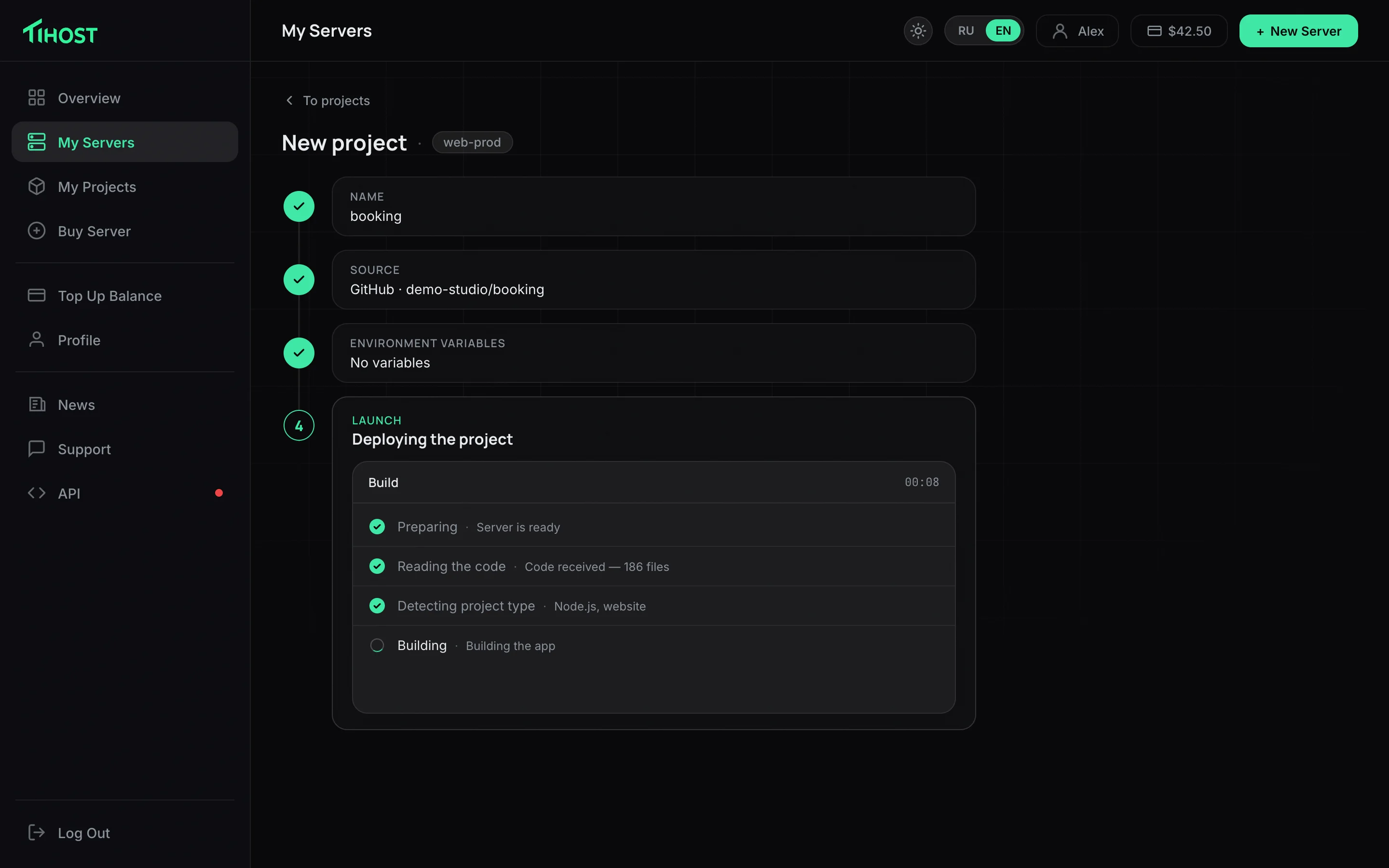
Python, Node.js, Go, PHP, Java, Rust and seven more — the engine reads the code and works out how to build it. Nothing to choose
We built code publishing into the Tihost panel. Point at a repository or upload an archive — the server builds it, starts it and hands you a working address
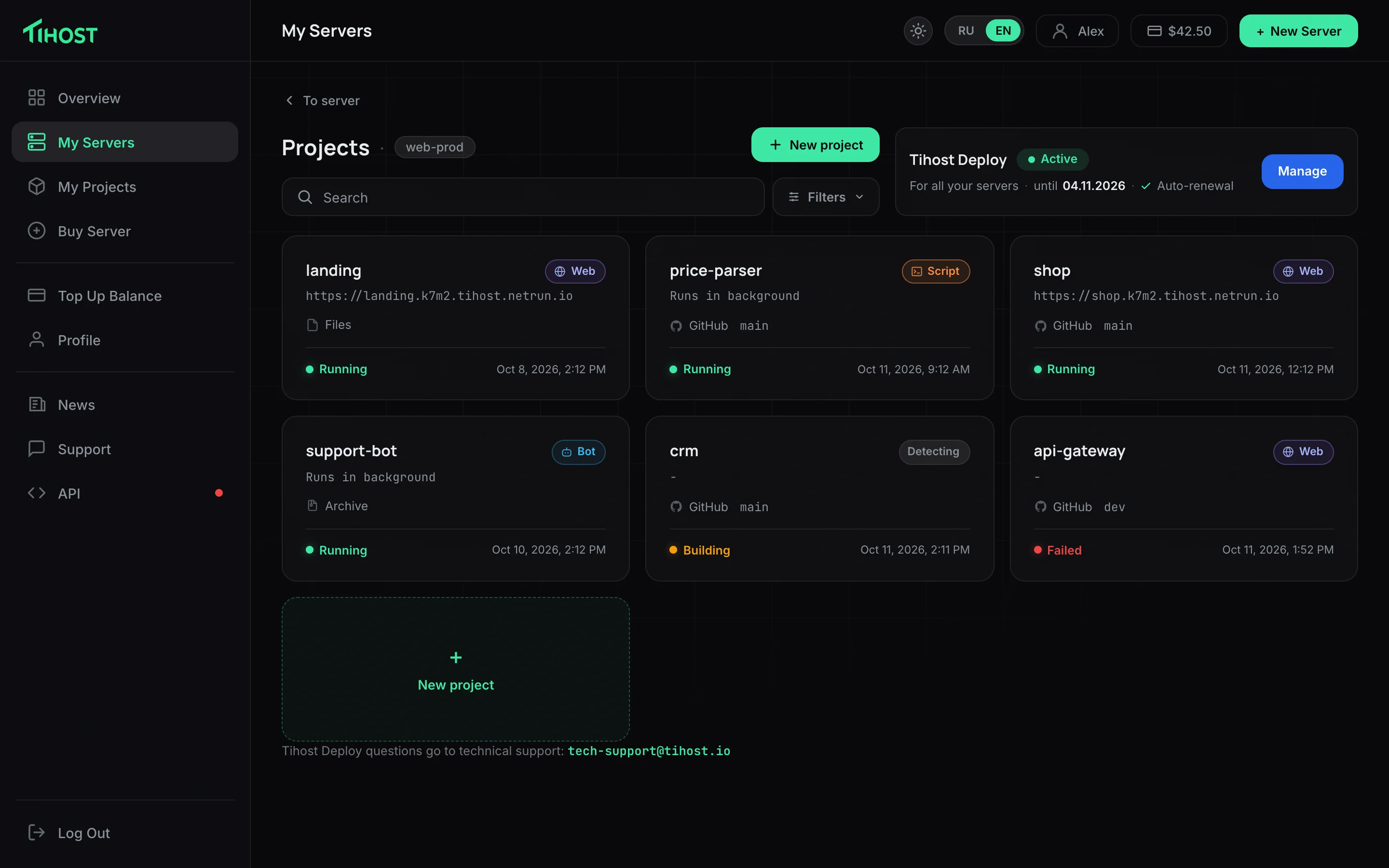
The project runs on your server and stays yours. Netrun keeps neither a list of your apps nor any credentials: the engine receives them for a single operation and forgets them
Python, Node.js, Go, PHP, Java, Rust and seven more — the engine reads the code and works out how to build it. Nothing to choose
We work out what we are looking at: a site gets a link with a certificate, a bot needs none — it reaches out to the messenger itself
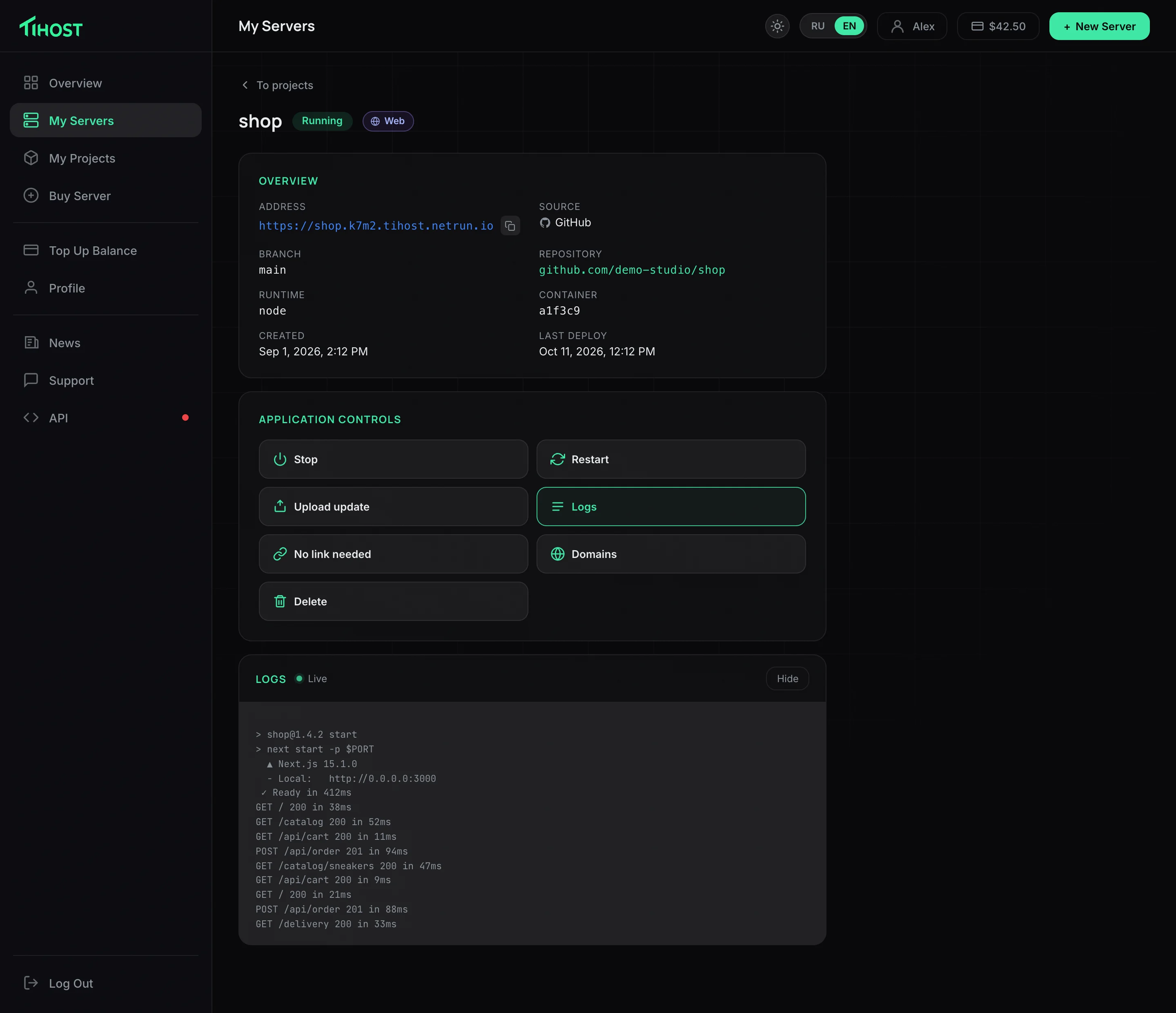
Attach a customer domain to the project: we show which record to create and check for ourselves that it has propagated
Logs are right in the panel, with “Stop”, “Start” and “Restart” next to them. No SSH needed
Tokens and passwords are set in the panel and travel to the app at startup. They have no business in the repository
Changed the code — click “Update”. Same project, same address, new version
The same engine is available as a plain HTTP API: one request starts the deploy, a live stream shows every build step
Open the documentationcurl -X POST "https://netrun.io/v1/b2b/deploys" \
-H "Authorization: Bearer $NETRUN_KEY" \
-H "Content-Type: application/json" \
-d '{
"app_id": "shop-a1b2c3d4",
"node": {"host": "203.0.113.10", "ssh_user": "root",
"ssh_password": "…", "handle": "srv-4821"},
"source": {"kind": "github",
"repo_url": "https://github.com/acme/shop"},
"publish_port": 40000
}'Tihost is the first platform running our engine. Any other can plug it in: the interface and the customers stay yours, builds and startup are on us
Hosting providers, control panels, site builders, billing systems — anyone who already has customers with their own servers
A “Deploy project” button inside your own product. Builds, startup, addresses with certificates, logs and live progress are on us
A customer server with access and one HTTP request from your code. No need to keep an engineering team for this
Netrun shows up neither in the interface nor in the invoices: pricing and money stay on your side
Tell us about your product — we will explain what is needed on your side and how long the integration takes. A key and test access are issued right away
No. Everything happens inside the Tihost panel, on your own server. There is nothing else to sign up for
The code goes straight to your server and lives there. We store neither a list of your projects nor server credentials: the engine gets them for the duration of a single operation and forgets them
Projects come back on their own. You do not need to start them by hand after a reboot
Yes. A project with its own Dockerfile is taken as is, and a bundle of several services comes up whole — no need to split the database from the app
The version that was running keeps running, and the panel shows a human explanation of what went wrong. No wall of terminal output